Mobile device shipments nearly tripled across Europe in the first half of the year according to analysts Canalys. According to the company, volumes of smart phones and wireless handhelds rose 170 per cent year on year in EMEA to 9.6m. In comparison, Canalys claims that if you take out these ‘smart device’, basic mobile phone volumes only rose 11 per cent over the same period. At least one of the drivers of this phenomenon is simply that mobile phone upgrades are headed in this direction – most probably, a mobile phone user’s next handset will fall under the smartphone category, with the ability to receive email, surf the web and use other online data services.
Corporate spending is also fuelling the rise, with enterprises buying into the mobile email promise: some 80 per cent of enterprise shipments for mobile smartphones were for Nokia’s Series 60 keypad-based handsets. Its Series 80 range bought it another 13 per cent market share.
Of the wireless handhelds, the clear leader remains RIM on the manufacturer front, with a third of the market. But by platform, Windows Mobile is king and accounts for almost all the other devices shipped. Canalys
Software / Internet
30
Sep 05
Good news for Nokia
27
Sep 05
My BaseCamp Review
Project management is tough when you’re running your own business and trying to keep track of several different projects at once. I’ve used Outlook and it’s task request and calendaring functionality, but after syncing with services like Plaxo and duping all my appointments and tasklists I wanted something web-based so it would be available anywhere exactly the same. No more dupes, no more redundancy and confusion.
Now, I’ve toyed with project management software and groupware before, mainly in the form of free options like dotProject, but everything I’ve tried like that is so cluttered. As tight-fisted as I am, I am more than willing to pay for something I’ll actually use like ClientExec, for example. Since I read the Signal VS. Noise blog, I was somewhat familiar with BaseCamp and decided to give it a try.
In short here’s the good and the bad.
The good:
- The interface is very slick, clean, and Ajaxy. There are some nice drag and drop features and the overall look and feel is very pleasant and user friendly. One thing that was bad about dotProject was that it was just so clunky looking. This often the problem when engineering types design things that people need to use.
- It’s easy to keep various projects and people separate. Right now I have five separate projects going and each project has a different arrangement of people who can access each one. I certainly don’t want them to be able to view every project, just the ones that allow them access to.
- Projects have their own syndicated RSS feeds. This allows you to keep an eye on what’s going on as people login and close out tasks. The feeds are password protected for your security.
- You can see when people last logged in to check their messages and task list.
The bad:
- For what it does (task management, project management) it’s too expensive. Free options like dotProject have tons more functionality and cost nothing. I would venture that this service is geared to those without their own webhosting yet to use some of the advanced features like file uploads requires offsite ftp access, so that isn’t a good argument. I can’t justify why it’s so expensive. It really possesses a limited range of application.
- The only data export option is to XML. I want to be able to export my tasks, milestones, and contacts to Outlook or CSV.
- You cannot copy file entries, tasks, or messages into other projects. This sucks.
Verdict
If my clients and partners actually end up using this regularly I will keep it. It’s that simple. I have a hunch that email will continue to be the primary method of communication and tracking. After all, if someone wants to check to see if something has been completed they’re more likely to just email or call and ask me versus checking my online task list and milestone calendar. As long as they keep adding features I’ll consider renewing, but I have until the end of October to make that decision.
Here’s a little hack if you want to upgrade to one of the business-level accounts. If you sign-up for the basic paid account ($12 a month) and then upgrade to a higher level of service, they won’t actually bill you for the upgrade until the first month has gone by. So you basically get a free account upgrade for a month. That’s worth $12 at the very least.
13
Sep 05
Now with Gravatar support!
If you leave a comment you’ll notice I have gravatars enabled. What is a gravatar?
A gravatar, or globally recognized avatar, is quite simply an 80×80 pixel avatar image that follows you from weblog to weblog appearing beside your name when you comment on gravatar enabled sites. Avatars help identify your posts on web forums, so why not on weblogs?
Get a gravatar then leave a comment and try it out.
06
Sep 05
Grading Google Desktop: B+
After using it for a couple weeks, I have found the latest iteration of Google Desktop to be moderately useful, but not essential by any means. It doesn’t wow like gmail. Considering that I use the search functionality infrequently Google Desktop must actually be useful for me to run it all the time since it is a resource hog. At this very moment, its components are sucking precious resources doing things of questionable value. GoogleDesktopDisplay.exe is using 76.5 MB of RAM, GoogleDesktopCrawl.exe is using 5.3 MB, GoogleDesktop.exe is using 1.7 MB, GoogleDesktopMail.exe is using 5 MB, and GoogleDesktopCrawl.exe is using 5.3 MB for a total of 93.8 MB of total RAM usage. Is that really necessary or does it have a memory leak? Here’s a rundown of the sidebar features:
- Docking – the sidebar docks to one side of your desktop. I liked this at first, but unless you use the sidebar a lot you’ll be tempted to shut it off.
- Gmail notification – This is somewhat useful except that there are Firefox extensions, Trillian plugins, and standalone Google apps that do the same thing.
- Web clips – I have yet to use this feature. I still don’t understand where or how it determines what to put in there.
- Todo list – This is a good idea, except in practice I put a few todos and then they just sit there. I use Outlook for task tracking if I use any software.
- Scratch pad – I still use paper to take little notes, but the Google Scratch Pad has the nice ability to save to a file. I have the same problem with this as with the todo list. I make notes then never do anything with them.
- Quick view – I have yet to make good use of this.
- News – Sage for news, so no chance to put this to good use.
- Photos – Very neat. Useful maybe.
- Stock ticker – Very useful. Nice and simple.
- Weather – Useful, but you could use the Weatherfox Firefox plugin to do the same thing.
The best part about the sidebar is that they have adopted the Firefox / Trillian model of opening up the plugin architecture so that end-users can develop their own extensions and plugins. The integration with Desktop search is a bonus.
06
Sep 05
Online Gaming Matures With World of Warcraft
The competition is going to need to invest a lot more money and talent in the arena Blizzard has now dominated. Conqueror in a War of Virtual Worlds:
Since November, World of Warcraft has signed up more than four million subscribers worldwide, making for an annual revenue stream of more than $700 million. About a million of those subscribers are in the United States (with more than half a million copies sold this year) and another 1.5 million are in China, where the game was introduced just three months ago. By contrast, EverQuest II now has between 450,000 and 500,000 subscribers worldwide, with about 80 percent in the United States.
Just a year ago, numbers like that would have classed EverQuest II as a big hit. The original EverQuest topped out at around a half-million players, and many, if not most, game executives came to believe that the pool of people willing to pay $15 a month to play a video game had been exhausted. The conventional wisdom in the industry then was that there could not possibly be more than a million people who would pay to play a massively multiplayer online game.
Now, World of Warcraft has shattered earlier assumptions about the potential size of the market.
Some business analysts see WoW more as an exceptional anomaly rather than a representation of growth in the online gaming market.
“I don’t think there are four million people in the world who really want to play online games every month,” said Michael Pachter, a research analyst for Wedbush Morgan, a securities firm. “World of Warcraft is such an exception. I frankly think it’s the buzz factor, and eventually it will come back to the mean, maybe a million subscribers.”
“It may continue to grow in China,” Mr. Pachter added, “but not in Europe or the U.S. We don’t need the imaginary outlet to feel a sense of accomplishment here. It just doesn’t work in the U.S. It just doesn’t make any sense.”
02
Sep 05
New Skype Call Forwarding
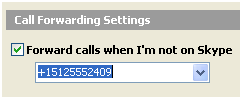
With the introduction of Skype 1.4, which is currently in beta, you can have calls to your SkypeIn number forwarded while you are not online. For example, you could set it up where your SkypeIn number forwards calls to your cell phone if you are offline. This is very cool. The only downside I see is that forwarded calls still use your SkypeOut minutes. On the other hand, that is still super cheap telephony since anyone in the world with Skype can now reach you on your cellphone without costing them a thing.
02
Sep 05
AdSense Logger Plugin for WordPress
Kloeschen.com implemented a WordPress plugin based on the popular AdSense logger tracking script. We’ll be testing it here as of today. Basically, it tracks where your ad clicks and referrals are coming from, so you can produce better content for your site.
24
Aug 05
GoogleTalk Quickie Review
GoogleTalk is very efficient, very clean, and very well-done. Google is clearly an engineering company. Everything is intuitive and easy to do. You add contacts by sending them an email invite. Your email address is your contact name. The VoIP functionality works very well. If you have a mic and headset it does the rest. Great result.
GoogleTalk is based on Extensible Messaging and Presence Protocol (XMPP) developed by the Jabber open-source messaging project:
As specified in RFC 3920, the core “transport” layer for XMPP is an XML streaming protocol that makes it possible to exchange fragments of XML between any two network endpoints. Authentication and channel encryption happen at the XML streaming layer using the IETF-standard protocols for Simple Authentication and Security Layer (RFC 2222) and Transport Layer Security (RFC 2246). The normal architecture of XMPP is a pure client-server model, wherein clients connect to servers and (optionally) servers connect to each other for interdomain communications. XMPP addresses are fully internationalized, and are of the form
for clients (similar to email). A wide variety of applications can be built on top of the core XML streaming layer. The first such application is instant messaging (IM) and presence. The basic IM and presence extensions specified in RFC 3921 address the requirements of RFC 2779, as well as the contact list functionality expected IM and presence systems. RFC 3921 also makes it possible to separate the messaging and presence functionality if desired (although most deployments offer both).
XMPP extensions allow for additional functionality.
24
Aug 05
Instant Messaging Interoperability
Both Skype and Google are talking about open IM (Instant Messaging). That means that eventually we’ll have some standard way to communicate with contacts on any of the various messaging platforms like ICQ, AIM, GT (Google Talk, which came out today), Jabber, Yahoo, MSN, etc. GoogleTalk itself runs on Jabber. I’m curious what will happen to the Hello messaging system they purchased with Picasa. Anyway, here’s what both Skype and Google have planned:
Hearsay courtesy of DownloadSquad on Google’s plans for GoogleTalk
According to our friends at Google, there’s a lot in store for Google Talk. Google is keenly interested in keeping the protocol open, and in fact you can access Google Talk’s servers with any Jabber-compatible client like Trillian, Gaim, Adium X, and iChat. (If you have one of these, I’m told you can connect using server talk.google.com and port 5222.) Google tells us that SIP support is coming soon and are in talks with Skype, AOL, and Yahoo! concerning interoperability.
I wonder how AOL and Yahoo feel about interoperability.
Skype is opening up its messaging with “SkypeNet API“. They have less to lose here than chat-focused products like AIM since Skype text chat is not the main benefit to Skype users who can use SkypeOut to place telephone calls worldwide.
Wouldn’t it be cool if your friends using other IM applications could contact you on Skype? We want Skype to be the worlds largest open IM system on the planet! What if you could use Skype to communicate with a product reviewer on a Web site, to chat with other players in an online game using Skype? All of these things and a few more that we haven’t dreamed up yet will become possiblities with SkypeNet API, a new set of tools and services that programmers can use to take Skype into new places that you may have never dreamed of before.
SkypeNet API will enable developers to access our IM and Presence system and bring it into new applications without needing to have the full version of Skype running on the machine. Think of it as mini Skype that can bring Skype to new places and let you do things you couldn’t do before. Details on the SkypeNet API will be coming soon, but we want to start the fun now. Interested in getting on board with SkypeNet now and just can’t wait until we publish more?